Real Estate CRM 2026
The Complete Real Estate Management Platform for Modern Agencies
Real Estate CRM 2026 is a complete professional platform designed to digitalize,
organize and simplify the entire workflow of a real estate agency.
The system centralizes in a single solution the management of properties, clients, sellers, requests,
automatic matching, negotiations, appointments, visits, purchase offers, contracts, electronic signatures,
documentation, invoicing, commissions, payments, leads, privacy, communications, reporting and security.
Its modular structure allows the agency to follow the entire business cycle, from property acquisition
to closing the deal and managing the related administrative processes, providing advanced tools for both
agents and agency management.
🏠 1. Complete Property Management
The software allows each property to be registered and managed with a high level of detail,
supporting both internal agency operations and publication on the public website.
- Internal property reference code.
- Title and SEO-friendly slug.
- Full property description.
- Sale or rental price.
- Initial price and price change history.
- Full address.
- Cadastral data.
- Surface area.
- Number of rooms.
- Bedrooms.
- Bathrooms.
- Floor and total building floors.
- Construction year.
- Condominium fees.
- Energy class and consumption.
- Property type.
- Contract type.
- Commercial status: available, under negotiation, sold, rented.
- Elevator.
- Concierge service.
- Balcony.
- Terrace.
- Cellar.
- Garden.
- Swimming pool.
- Disabled access.
- Heating.
- Air conditioning.
- Furnishing.
- Kitchen type.
- Garage.
- Parking spaces.
- Geographic coordinates.
- Assigned category.
- Property view counter.
- Acquisition date.
- Mandate type.
- Mandate expiration date.
- Linked owner/seller.
- Buyer and seller commission percentages.
- Availability and occupancy status.
Images, Floor Plans and Attachments
Each property can include photographs, floor plans and documents,
keeping all related material organized within the property record.
🏷 2. Property Category Management
The system allows properties to be classified into customizable categories,
making internal organization, searching and public website navigation easier.
👤 3. Client Management
The CRM includes a complete client database for buyers and tenants,
supporting commercial, contractual and administrative activities.
- First name and last name.
- Email and phone number.
- Private individual or company.
- Tax code.
- VAT number.
- Electronic invoicing recipient code.
- Certified email address (PEC).
- Date and place of birth.
- Full address.
- City, postal code and province.
- Property requests.
- Appointments and visits.
- Purchase offers.
- Contracts.
- Property preferences.
- Privacy and marketing consents.
🏢 4. Seller and Property Owner Management
Property owners are managed separately from buyers and tenants and can be linked to one or more properties,
contracts, purchase offers and reports.
- Complete personal details.
- Tax information.
- Contact information.
- Owned properties.
- Linked contracts.
- Activity history.
- Owner PDF report.
🔎 5. Client Property Requests
One or more structured property requests can be registered for each client.
These requests are used by the Matching 2.1 engine.
- Desired property type.
- Sale or rental.
- Minimum and maximum budget.
- Minimum and maximum surface area.
- Minimum and maximum number of rooms.
- Bedrooms.
- Bathrooms.
- Preferred areas or cities.
- Garage.
- Parking space.
- Garden.
- Terrace.
- Elevator.
- Cellar.
- Energy class.
- Maximum condominium fees.
- Request creation date.
🔗 6. Matching 2.1 – Clients / Properties
The Matching 2.1 engine automatically compares client requests
with available properties and assigns a compatibility percentage.
The system also displays a detailed breakdown of matching and non-matching criteria, for example:
- ✅ Compatible price.
- ✅ Requested area.
- ✅ Surface area.
- ✅ Number of rooms.
- ✅ Garage.
- ❌ Garden not available.
- ✅ Terrace.
Results are automatically sorted by compatibility percentage. A configurable threshold
is used to highlight recommended matches without hiding lower compatibility results.
Matching is automatically rebuilt when properties or client requests are updated,
keeping results consistent with the latest data.
🤝 7. CRM Negotiation Pipeline
The CRM allows every commercial opportunity to be followed through a complete sales pipeline.
New Contact → Contacted → Appointment → Visit → Interested → Offer → Negotiation → Deed → Sold / Lost
- Linked client.
- Linked property.
- Assigned agent.
- Estimated negotiation value.
- Next activity.
- Next activity date.
- Notes.
- Reason for lost negotiation.
📝 8. Purchase Offers
Purchase offers are managed directly inside the CRM and can be linked
to a client, property and negotiation.
- Offered price.
- Deposit amount.
- Offer date.
- Validity date.
- Suspensive conditions.
- Notes.
- Offer status.
Statuses: Draft, Sent, Accepted, Rejected, Expired, Withdrawn.
✍️ 9. Offer Signing and Contract Conversion
Purchase offers can be signed by both buyer and seller.
The system records the date, time and IP address of the signing operation.
Once an offer is accepted and properly signed, it can be automatically converted
into a contract using the client, property and owner information already stored in the system.
📄 10. Contract Management
The system supports both sales and rental contracts,
with direct links between clients, properties and sellers.
- Contract date.
- Price.
- Final price.
- Generated or archived PDF.
- Signature status.
- Party information.
- Cadastral data.
- Deposit and intermediate payments.
- Notary information.
- Expected deed date.
- Responsibility for condominium fees.
🔐 11. Electronic Signature and OTP Verification
The electronic signature module provides traceability and document integrity throughout the signing process.
- Signature linked to the contract.
- Identification of the signing party.
- IP address.
- Stored signature image.
- Signed PDF.
- Document hash.
- Signature method.
- Date and time.
- OTP code.
- OTP expiration.
🗂 12. Property Documents and Checklist
Each property includes a dedicated document section with checklist and verification status.
- Cadastral report.
- Floor plan.
- Energy Performance Certificate (APE).
- Deed of origin.
- System certifications.
- Condominium regulations.
- Meeting minutes.
- Urban planning documentation.
- Owner documents.
- Additional attachments.
Each document can be marked as Complete, To Be Verified or Missing,
can have an expiration date and can be selectively shared in the client area.
👁 13. Private Client Area
Each client can access a personal private area through a revocable secure link.
- Compatible properties.
- Matching percentage.
- Compatibility details.
- Appointments.
- Purchase offers.
- Contracts.
- Shared documents.
- Property preferences.
Clients can classify properties as:
❤️ Interested – 🤔 To Evaluate – ❌ Not Interested.
📅 14. Calendar, Appointments and Property Visits
Appointments are directly connected to clients, properties and assigned agents.
- Date and time.
- Title and description.
- Client.
- Property.
- Agent.
- Visit outcome.
- Interest level.
- Client feedback.
- Agent notes.
- Follow-up date.
⏰ 15. Automatic Reminders
- Appointment reminders.
- Deadline reminders.
- Manual or scheduled execution.
- Sent reminder log.
- Protection against duplicate notifications.
- Configurable Windows Scheduled Task for automatic execution.
🕒 16. Centralized Deadline Management
The deadline center automatically collects all important upcoming activities.
- Mandate expiration dates.
- Document expiration dates.
- Offer validity dates.
- Upcoming CRM activities.
- Appointments.
- Client follow-ups.
- Deed dates.
- Manual deadlines.
🕘 17. Property Timeline
Each property includes a complete chronological history of its activities.
- Property creation.
- Updates and changes.
- Documents.
- Appointments.
- Visits.
- Purchase offers.
- Negotiations.
- Contracts.
- Future activities.
🛡 18. Activity Register / Audit Log
The system records the main operations performed by users.
- User.
- Date and time.
- Action performed.
- Entity involved.
- Linked property.
- IP address.
🗺 19. Property Map
Geolocated properties are displayed on an interactive map.
- 🟢 Available.
- 🟡 Under negotiation.
- 🔴 Sold.
- 🔵 Rented.
🌍 20. Geolocation and Geographic Cache
- Address-to-coordinate conversion.
- Property positioning on maps.
- Geographic cache to speed up requests.
- Support for nearby points of interest.
📊 21. Commercial Dashboard
The dashboard provides useful indicators for monitoring agency performance.
- New clients.
- New properties.
- Appointments.
- Visits.
- Purchase offers.
- Sales.
- Sales volume.
- Revenue.
- Conversion rates.
💰 22. Commission Management
- Buyer commission.
- Seller commission.
- Commission percentage.
- Taxable amount.
- VAT.
- Total commission.
- Invoice linkage.
- Negotiation and property linkage.
💳 23. Payment and Collection Management
- Amount due.
- Amount paid.
- Outstanding balance.
- Partial payments.
- Full payments.
- Payment date.
- Payment method.
- Payment history.
- Payment status.
🧾 24. Invoicing and Electronic Invoicing
The platform includes an administrative module designed for Italian electronic invoicing workflows.
- Invoice number and year.
- Document date.
- Client.
- Linked contract.
- Document type.
- Description / reason.
- Currency.
- VAT rate.
- VAT nature.
- Taxable amount.
- Tax amount.
- Total.
- Payment terms.
- Payment method.
- Recipient code / PEC.
- SDI status.
- XML file.
- Due date.
- Payment status.
📑 25. Invoice Lines and SDI Log
- Line description.
- Quantity.
- Unit price.
- Discount.
- Taxable amount.
- VAT rate.
- VAT nature.
- SDI event history.
- Messages and responses.
- Invoice status monitoring.
📨 26. Notification System
- Notification title.
- Message.
- Type: info, warning, success, error.
- Read / unread status.
- Linked client.
- Linked property.
- Creation and update date.
📧 27. Email Templates
Professional reusable email templates can be created for recurring communications.
- New property.
- Appointment confirmation.
- Visit reminder.
- Follow-up.
- Purchase offer.
- Documents.
- Deadlines.
- Custom messages.
💬 28. WhatsApp Templates
Predefined WhatsApp messages allow agents to communicate quickly with clients and owners,
using data already stored in the CRM.
📨 29. Communication Center
- Client selection.
- Property selection.
- Appointment selection.
- Email templates.
- WhatsApp templates.
- Custom communications.
🌐 30. Website Lead Management
Requests received from the public website are automatically converted into CRM leads.
- General inquiries.
- Property information requests.
- Property valuation requests.
- Lead contact details.
- Property of interest.
- Lead source.
- Assigned agent.
Lead Pipeline: New → Contacted → Qualified → Converted / Discarded.
A qualified lead can be converted directly into a client.
🔐 31. Privacy and GDPR Management
- Privacy consent.
- Marketing consent.
- Profiling consent.
- Consent date.
- Consent source.
- Privacy policy version.
- Consent withdrawal.
- Hashed IP storage for increased privacy protection.
👥 32. Users, Roles and Granular Permissions
The system supports multiple configurable roles:
- Administrator.
- Manager.
- Agent.
- Front Office / Secretary.
- Administration.
Permissions can be configured for individual areas of the management platform, including:
- Properties.
- Clients.
- Sellers.
- Contracts.
- CRM.
- Purchase offers.
- Finance.
- Leads.
- Privacy.
- Audit Log.
- Backups.
- Settings.
🔒 33. Advanced Security
- Protected passwords.
- Active / inactive users.
- Password reset.
- MFA / multi-factor authentication.
- OTP secret.
- Login attempt monitoring.
- Temporary anti-brute-force lockout.
- Audit Log.
- Securely stored client-area access tokens.
🗑 34. Trash and Restore
Properties, clients, sellers and documents can be moved to the trash instead of being deleted immediately.
- Restore deleted records.
- Permanent deletion.
- Protection against deletion when important dependencies exist.
- Automatic exclusion of trashed records from matching, maps, website and selectors.
📋 35. Property Owner PDF Report
A professional report can be generated and delivered to the property owner.
- Property details.
- Price.
- Owner details.
- Number of visits.
- Client feedback.
- Purchase offers received.
- Matching results.
- Negotiations.
- Documentation.
- Contracts.
- Activity history.
📱 36. Property QR Codes
Each property can have its own QR Code for use on brochures,
window displays, signs and promotional material.
- QR Code generation.
- PNG download.
- Direct link to the public property page.
📑 37. Property Duplication
An existing property can be duplicated quickly with a new reference code and slug,
making it ideal for multiple units in the same building or similar property listings.
📥 38. CSV / XLSX Import
The system supports bulk import of clients and properties.
- CSV.
- XLSX / Excel.
- Import templates.
- Update of existing records.
📤 39. CSV / XLSX Export
Clients and properties can be exported for external processing, backup or analysis.
📄 40. Property PDF Sheet
A commercial PDF property sheet can be generated for clients,
appointments and professional presentations.
📈 41. Visit and Traffic Statistics
- Visit date.
- Number of accesses.
- Visitor IP.
- Country.
- Region.
- City.
- User agent.
These statistics can be used to analyze website traffic and measure interest in published properties.
🎨 42. Front-End Content Management
The management platform also includes tools for controlling public website content.
- Homepage slider.
- Promotional images.
- Titles and descriptions.
- Display order.
- Hero image.
- Hero title.
- Hero subtitle.
- Call-to-action button.
⚙️ 43. General System Configuration
- Website name and logo.
- Address and contact information.
- Administrator email and phone number.
- VAT number and fiscal information.
- SMTP configuration.
- Sender and Reply-To settings.
- Google Analytics / gtag.
- reCAPTCHA.
- Company data for electronic invoicing.
- Recipient code and PEC.
💾 44. Backup Management
The platform includes tools dedicated to backup management,
helping protect agency data and simplify recovery when required.
⚙️ 45. Automatic Installation Path Detection
The installer automatically detects the directory in which the platform is installed,
eliminating the need to manually modify hardcoded paths.
Supported examples include:
https://domain.com/https://domain.com/management/https://domain.com/agency/http://localhost/realestate/
During installation, the system automatically detects the project base URL and physical server path.
The resulting configuration is saved and also includes an automatic fallback mechanism.
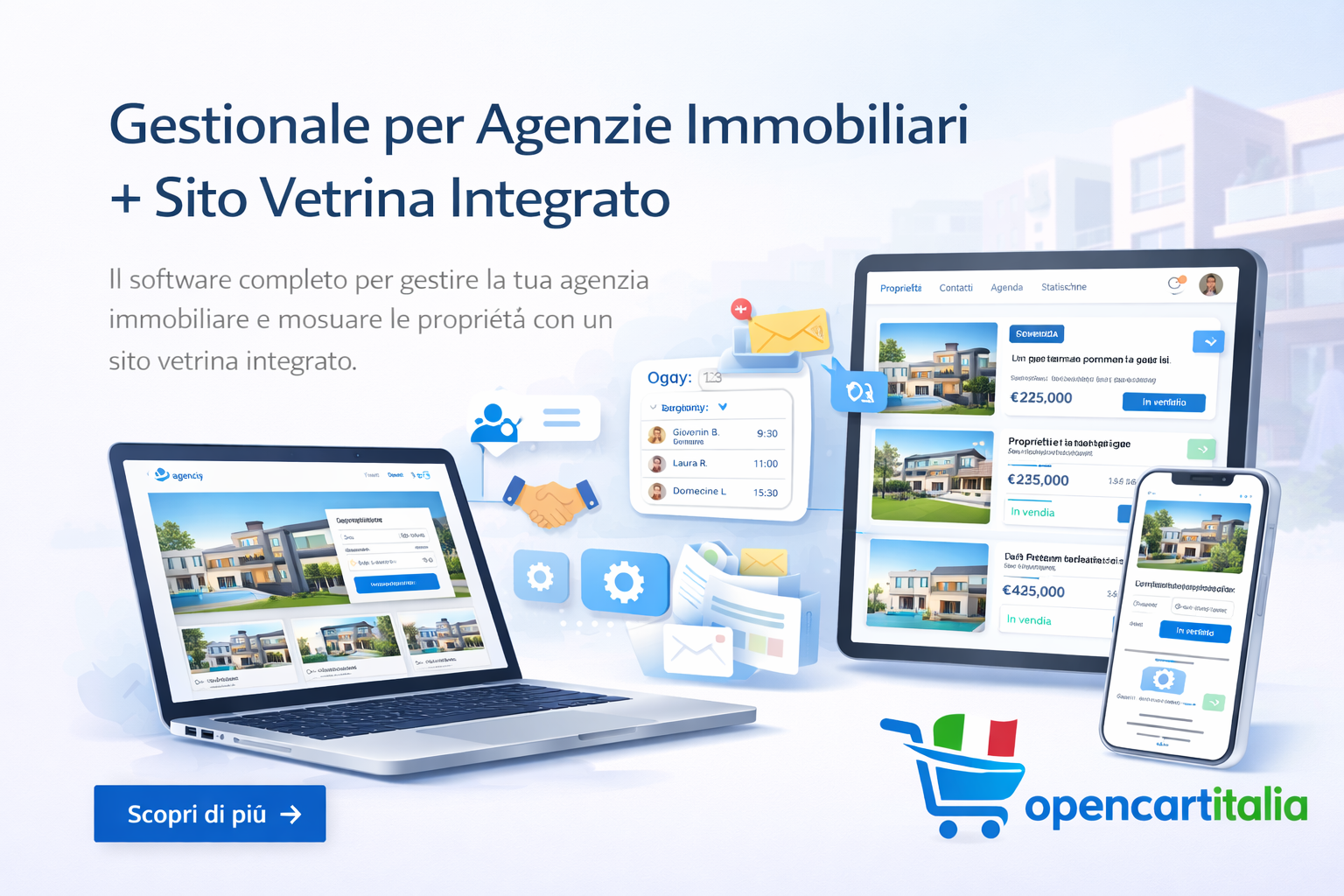
🌐 46. Integrated Public Website
The management platform can be used as the backend of the agency's public website,
allowing properties to be published and inquiries to be received directly inside the CRM.
🔗 47. Fully Integrated Ecosystem
The platform is built around a relational model that connects all major business entities.
- A client can have requests, matches, offers, contracts, invoices and notifications.
- A property can have an owner, documents, matches, visits, offers, negotiations and contracts.
- A negotiation links the client, property and agent.
- A purchase offer can be signed and converted into a contract.
- A contract can include electronic signatures, OTP verification and documents.
- An invoice can be linked to a contract and a commission.
- Payments update the financial situation.
- Audit Log and property timeline maintain a complete activity history.
⭐ 48. What Real Estate CRM 2026 Provides
Real Estate CRM 2026 allows a real estate agency to:
- Manage the complete property portfolio.
- Manage clients and property owners.
- Register detailed property requests.
- Automatically match clients and properties with Matching 2.1.
- Manage negotiations through a CRM pipeline.
- Organize appointments, visits and reminders.
- Manage purchase offers and signatures.
- Generate and archive contracts.
- Manage property documents and checklists.
- Handle electronic signatures and OTP verification.
- Manage electronic invoicing.
- Monitor commissions and payments.
- Automate Email and WhatsApp communications.
- Collect leads from the public website.
- Manage GDPR and privacy consents.
- Control users, roles and permissions.
- Track activities through the Audit Log.
- Use maps, geolocation and statistics.
- Generate professional property owner reports.
- Import and export data.
- Use QR Codes and professional PDF sheets.
- Manage public website content from the same platform.
More efficiency. More control. More sales.
A professional platform designed to digitalize, organize and simplify
the entire real estate management process.
🏠 Complete Management
Properties, clients, owners, requests, negotiations and contracts.
|
⚡ Automation
Matching, reminders, deadlines, leads and communications.
|
📊 Commercial Control
Dashboard, statistics, timeline, reports and audit.
|
💰 Administrative Management
Invoices, commissions, collections and payments.
|
🔒 Security
MFA, roles, permissions, GDPR, signatures, OTP and Audit Log.
|
🌐 Digital Ecosystem
Public website, private client area, maps, QR Codes and communications.
|
Real Estate CRM 2026 — Everything your agency needs, in one platform.